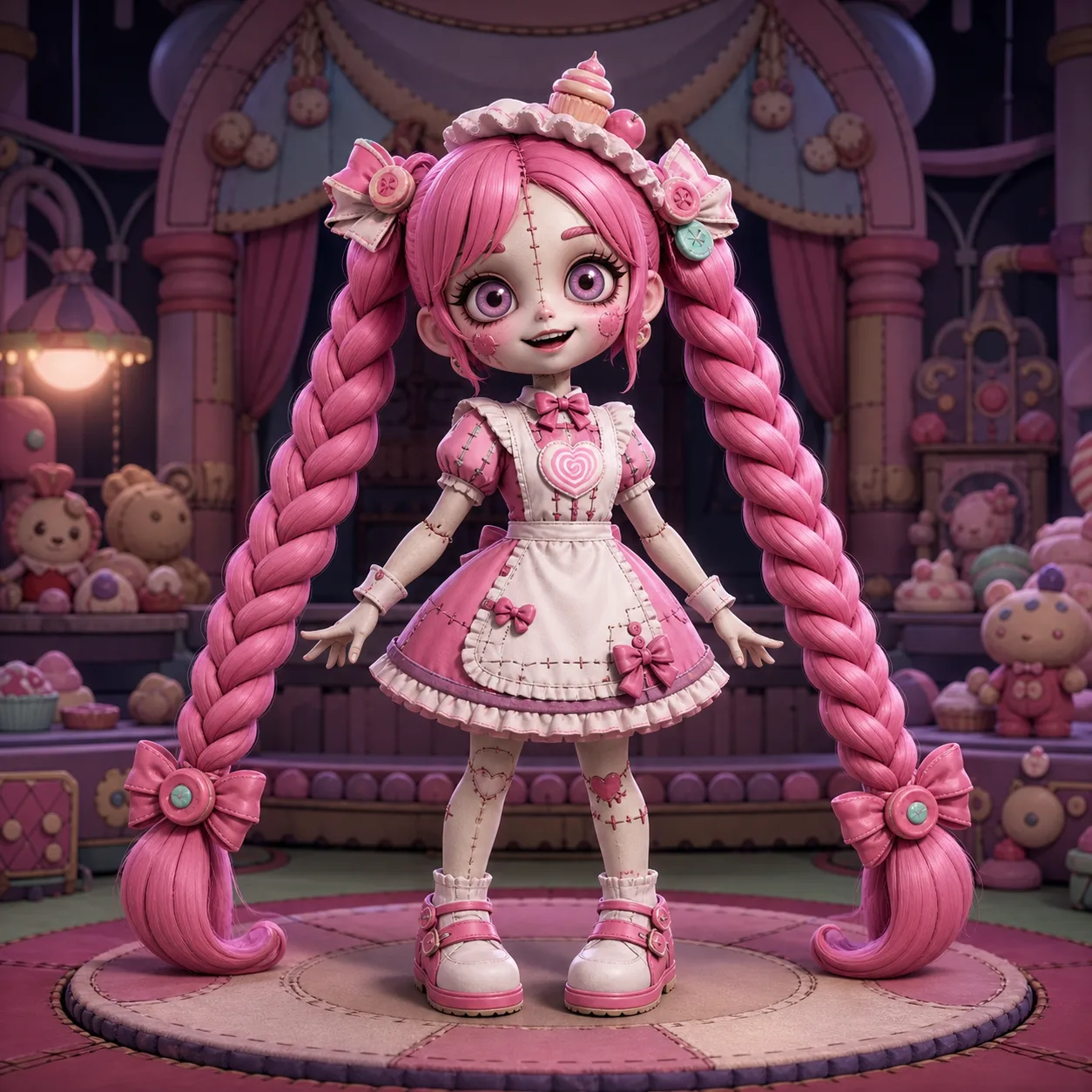
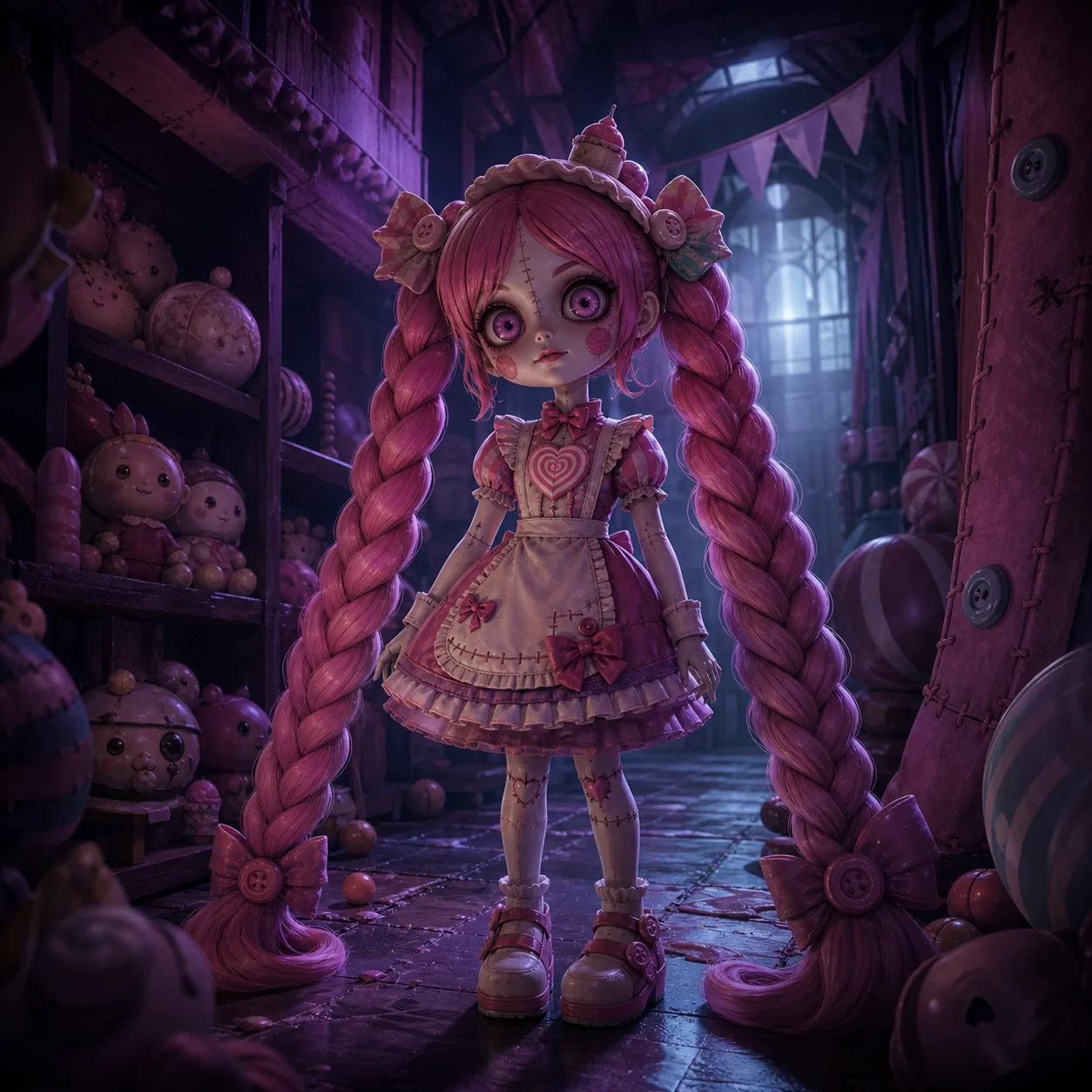
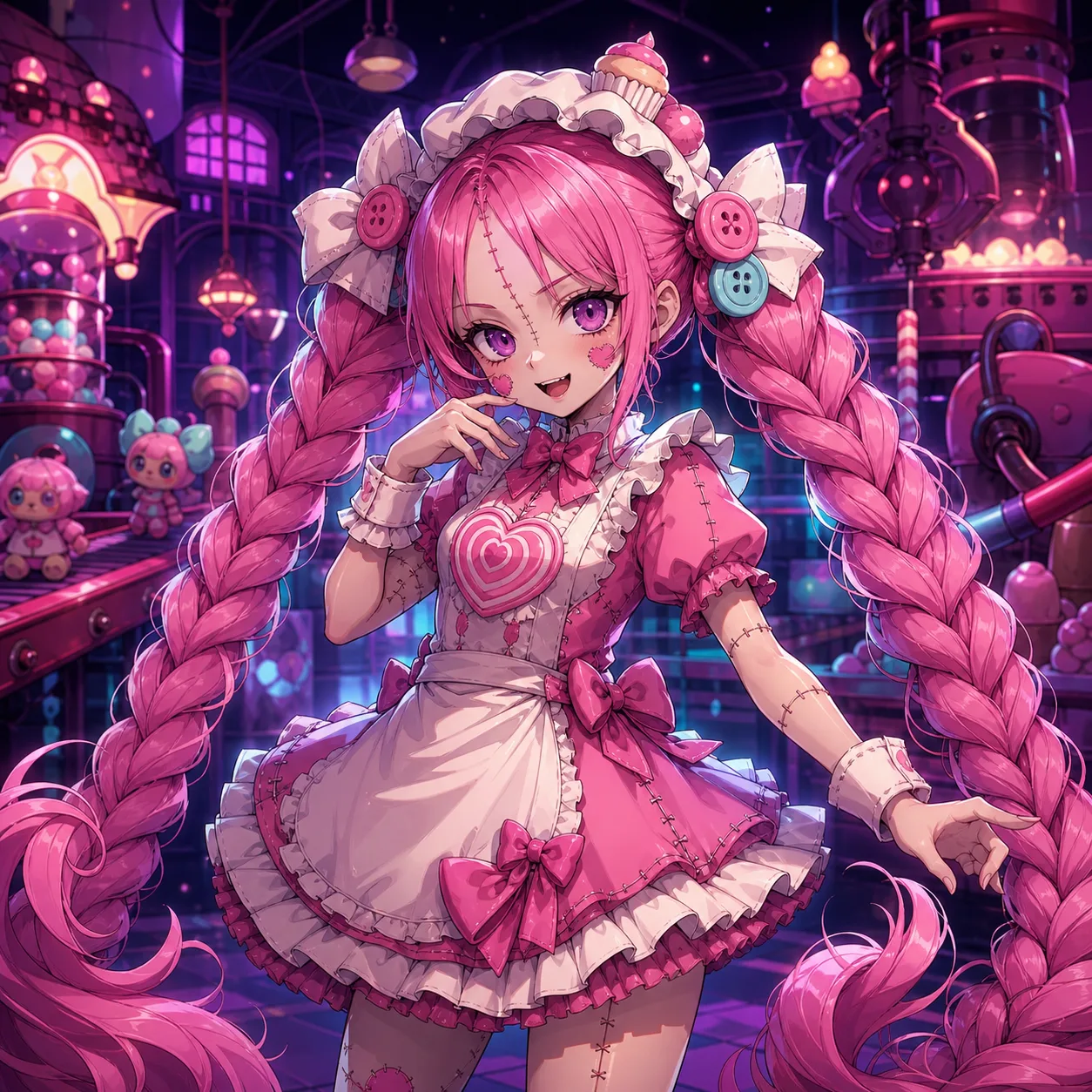
Browse the actual images
These three images are AI-assisted fan concepts, not game captures. The cute version emphasizes a toy silhouette, the horror version uses atmospheric lighting, and the anime version simplifies the figure into a redraw direction. Clothing, face proportions and accessories differ from canonical art. Open Mob’s official character page for the original publisher reference.
Select by the detail you need
For braid rhythm, use the image with the clearest separation between segments. For a face study, compare the eyes and mouth without treating the stylized proportions as a model sheet. For a composition, check where the figure will be cropped before choosing a screen shape.
The full-size links open the files actually hosted here; no 4K pack or additional unseen collection is promised. Test a wallpaper crop or test the small avatar view before downloading.
Use the style as a design choice
Cute Toy Display uses large shapes and a readable face. It is a useful starting point for a small avatar or a simplified coloring exercise. Horror Doll Corridor uses contrast and shadow; it can support a dramatic composition but can hide clothing seams you need for a costume study. Anime Key Art emphasizes clean facial expression and graphic hair framing.
These are existing AI-assisted fan concepts. They are not “official variants,” playable skins or a record of what artists in the wider community prefer. The fan merchandise board is a separate brainstorming image, not a product catalogue.
Wallpaper crop: an image is not automatically screen-sized
The wallpaper preview uses the existing AI-assisted Horror Doll Corridor concept. The preview can crop it into a phone or desktop frame. This changes only the preview: the download remains the original square file, with its original pixel dimensions. We do not advertise it as a native 4K or device-specific export.
Compare the top of the braids, face placement and background space. A wide screen crops more of a square portrait vertically; a tall phone crops the sides. If either loses a detail you need, use a different framing in your device’s wallpaper settings instead of assuming a stretched image will stay sharp.
Download or open the original image. Select it in your device’s wallpaper chooser, check the lock-screen clock area and adjust the crop there. Desktop systems may offer Fill, Fit or Center; inspect the result on your own display rather than treating one size as universal.
Avatar crop: test the small-size result
A profile picture needs a readable face and some braid framing at a small size. The preview uses the AI-assisted cute-toy concept, with a closer crop than the full-body image. Switch between a round mask and a square mask, then check whether the forehead, face and braids remain identifiable.
The mask is a preview only. Download opens the original full image; use the destination platform’s crop control for the final avatar. We do not claim to export a new circular PNG or bypass another platform’s rules.
What these images are
The concepts are AI-assisted fan illustrations maintained with this site. They are not submissions from a verified artist community, photographs of products, official character art or evidence of a scene in the game.
For the publisher’s actual character art, open the official Lily page. For your own study use the drawing workflow; for a wearable design use the costume worksheet. Attribution to Mob’s character remains separate from the authorship of a fan interpretation.
More art activities
Coloring page provides a clean line-art PNG, a print view and a color-planning exercise. Costume planning turns one reference into a build worksheet. Neither is an official screenshot archive.